Guide 1: Base64 images
With this approach each dataset row contains the image itself. You don’t need to host the images or manage URL expiry, and every vision provider accepts it.
What you’ll build: a receipts-base64 dataset, and a Playground run in which a vision model reads each receipt.
Step 1: Encode the images as data URIs
Store each image as data:image/<format>;base64,<data>. Raw base64 without the prefix also works, but the data URI states the format explicitly.
import base64
import mimetypes
from pathlib import Path

ALLOWED = {"image/png", "image/jpeg", "image/gif", "image/webp"}
mimetypes.add_type("image/webp", ".webp")

def to_data_uri(path: Path) -> str:
    """Encode an image file as `data:image/<fmt>;base64,<data>`."""
    mime, _ = mimetypes.guess_type(path.name)
    if mime not in ALLOWED:
        raise ValueError(f"{path.name}: {mime} is not supported (use png/jpeg/gif/webp)")
    b64 = base64.b64encode(path.read_bytes()).decode("ascii")
    return f"data:{mime};base64,{b64}"
Large photos: resize them before encoding. That keeps the dataset small and stays under provider limits (Anthropic allows about 5 MB per image):
from io import BytesIO
from PIL import Image

def to_data_uri_resized(path: Path, max_side: int = 1568) -> str:
    img = Image.open(path).convert("RGB")
    img.thumbnail((max_side, max_side))
    buf = BytesIO()
    img.save(buf, format="JPEG", quality=85)
    return "data:image/jpeg;base64," + base64.b64encode(buf.getvalue()).decode("ascii")
Step 2: Create the dataset
The full script is examples/01_create_base64_dataset.py. Its core:
import os
from arize import ArizeClient

examples = [
    {
        "image": to_data_uri(images_dir / row["file_name"]),  # the image column
        "file_name": row["file_name"],
        "expected_merchant": row["merchant"],                  # ground truth for scoring
        "expected_date": row["date"],
        "expected_total": row["total"],
    }
    for row in ground_truth
]

client = ArizeClient(api_key=os.environ["ARIZE_API_KEY"])
dataset = client.datasets.create(
    name="receipts-base64",
    space=os.environ["ARIZE_SPACE_ID"],
    examples=examples,          # a list of dicts or a pandas DataFrame
)
$ python 01_create_base64_dataset.py
Created dataset 'receipts-base64' (RGF0YXNldDozNzA2NDU6NHQ0bw==) with 6 examples
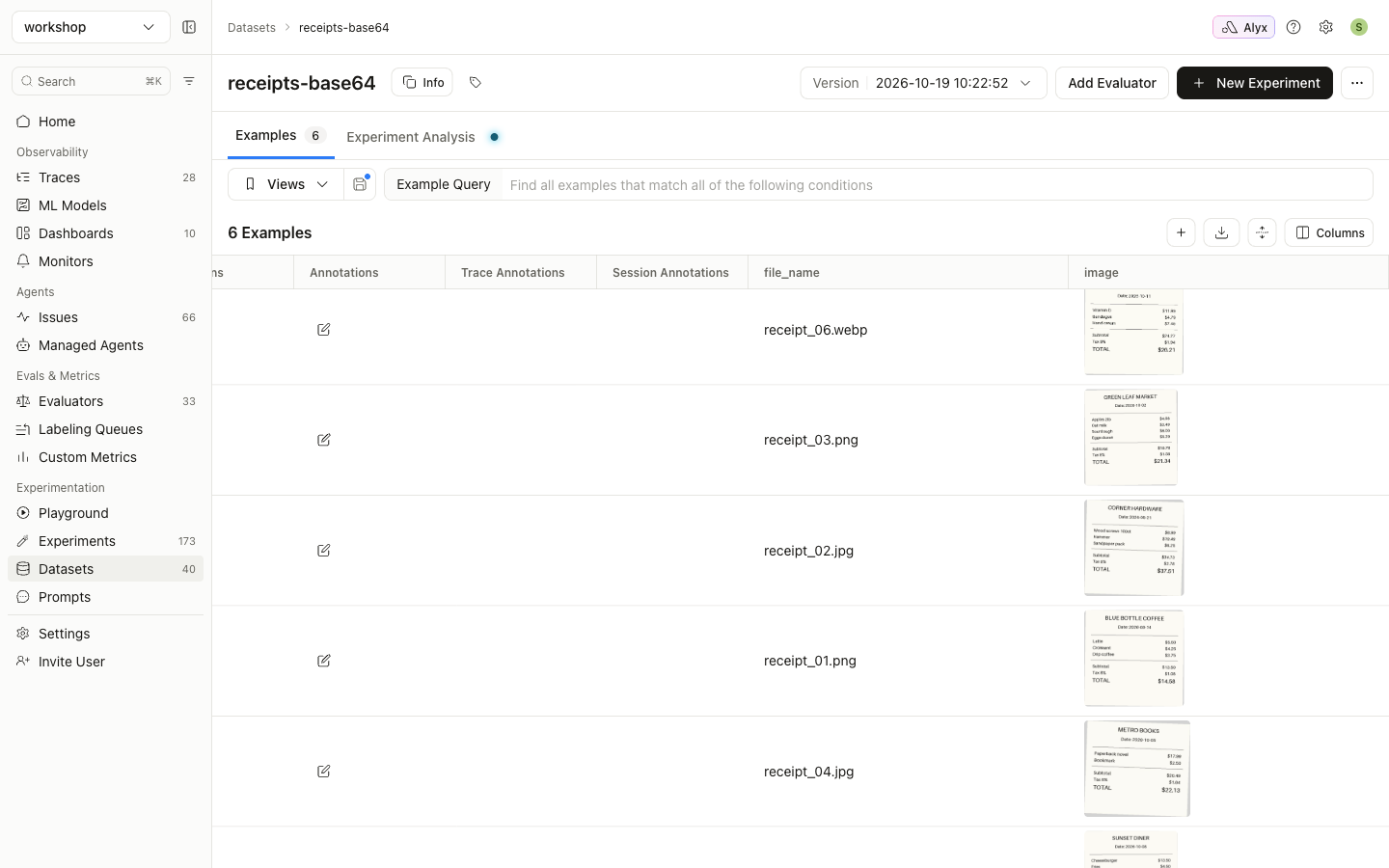
Open the dataset under Datasets. Thumbnails in the image column confirm that Arize recognized the values as images. Hover over a cell to load its thumbnail.
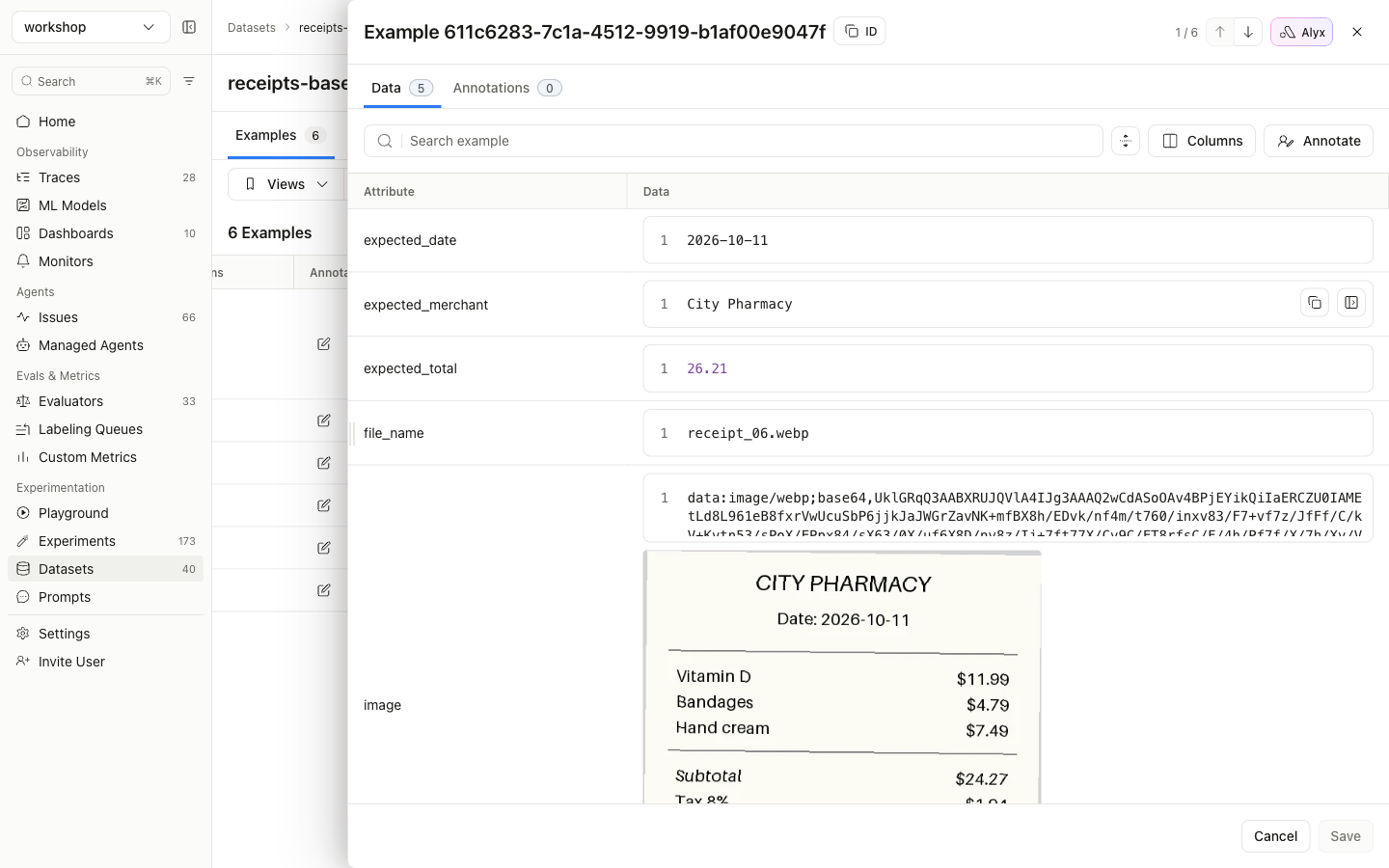
Click a row to see the raw data URI with the image rendered below it:
Using a CSV upload instead: write the same rows with pandas.DataFrame(examples).to_csv("receipts.csv", index=False) and upload the file under Datasets → New Dataset. Base64 makes CSVs large quickly, so for more than a few hundred images use the SDK, which streams large uploads.
Step 3: Run it in the Prompt Playground
- Go to Playground → New Playground → Prompt Playground.
- Choose a vision-capable model. These screenshots use
claude-sonnet-5-5through an Anthropic AI integration. Any Claude model from 4.x onward accepts images. -
Write the user message with the image variable on its own line:
{image}
Extract the merchant name, the date and the grand total from this receipt. Respond with JSON only, using the keys merchant, date (YYYY-MM-DD) and total (a number).
This playground uses f-string variables (
{image}). With mustache formatting, write ``. Avoid literal{ }in the instructions: in f-string mode they are parsed as variables. That’s why the prompt above describes the JSON keys in words. -
Select the dataset in the picker at the bottom (
receipts-base64). Each row’simagevariable gets a preview, which means Arize will send it as an image: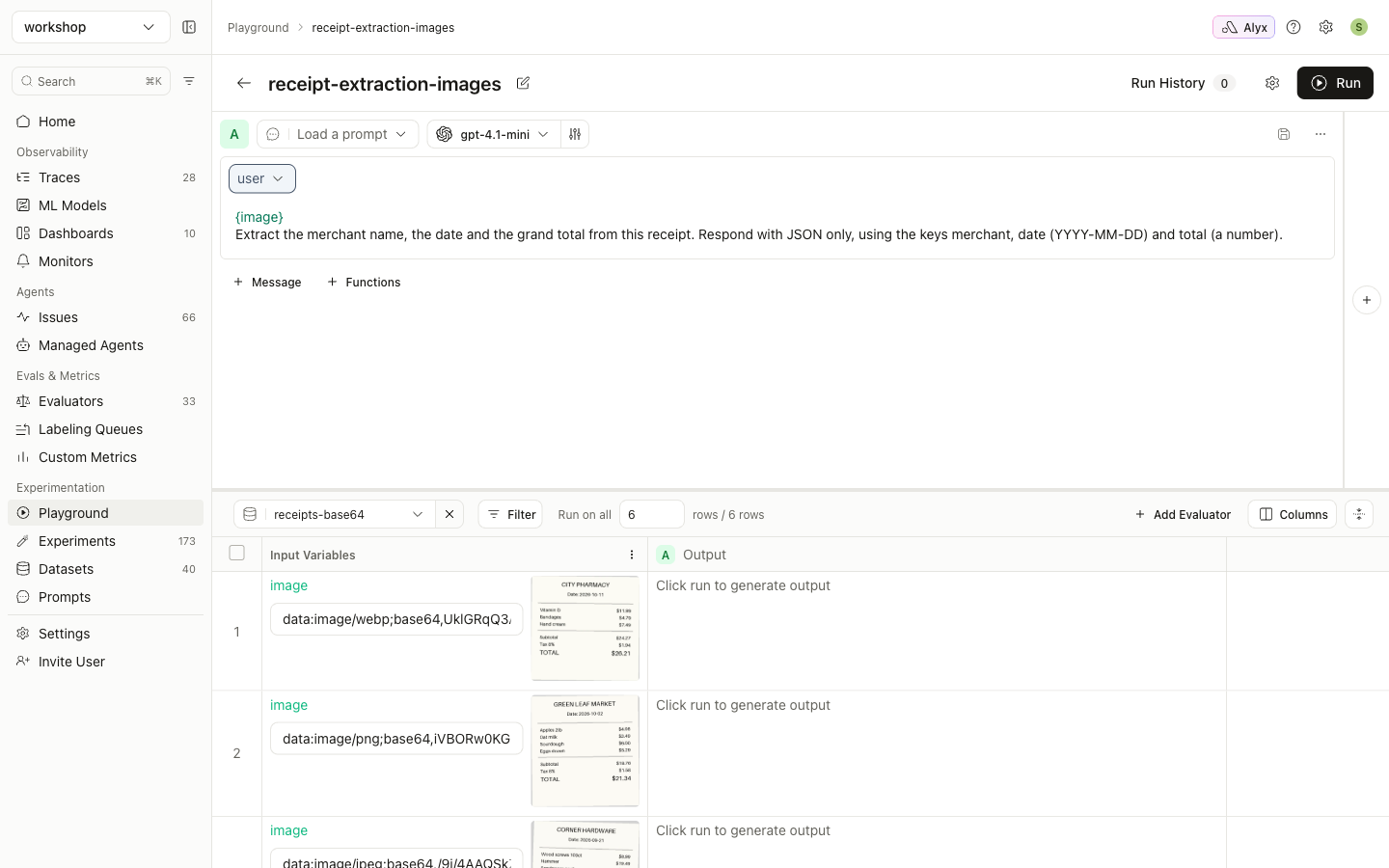
-
Click Run. Every row is sent to the model with its image:
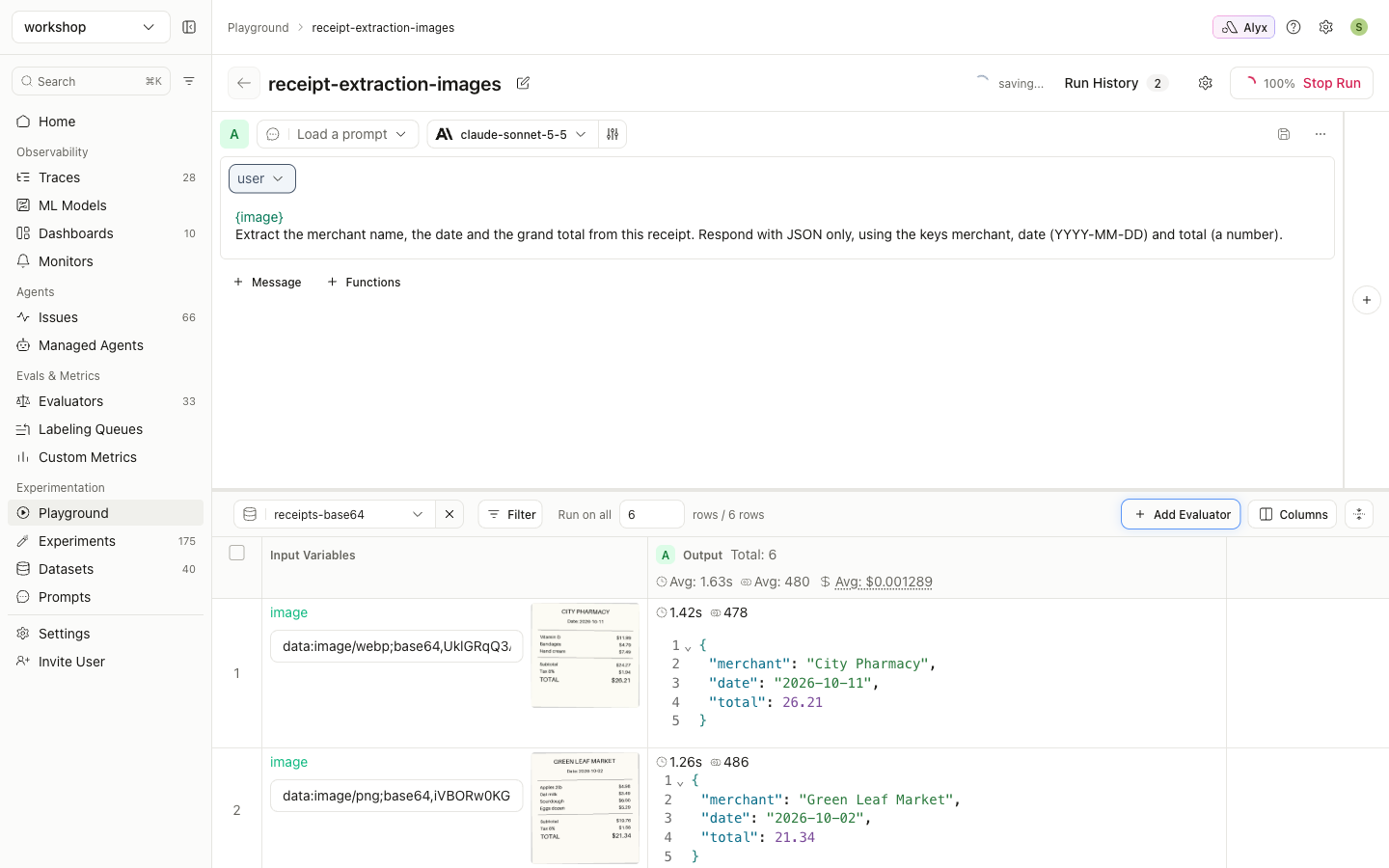
Running the Playground over a dataset also saves the run as an experiment on that dataset (Datasets → receipts-base64 → Experiment Analysis). You can compare it there with later runs that use a different model or prompt.